
No-code automation tools help freelancers automate onboarding, invoicing, project tracking, communication, and digital product delivery without writing code. Tools like Zapier, Make, Airtable, Notion, and AI assistants reduce administrative work and allow freelancers to focus more on income-generating tasks.
Why Freelancers Need No-Code Automation in 2026

Freelancing today is no longer just about delivering work. In reality, it also means running a small business.
That includes:
- Responding to inquiries
- Onboarding clients
- Managing projects
- Sending invoices
- Following up on emails
- Tracking payments
However, when all of this is done manually, it quietly eats up time.
In fact, studies consistently show that freelancers spend 30–40% of their working hours on administrative tasks, not actual paid work. Over time, this leads to burnout, missed deadlines, and slower growth.
This is exactly where no-code automation becomes essential.
What “No-Code Automation” Actually Means
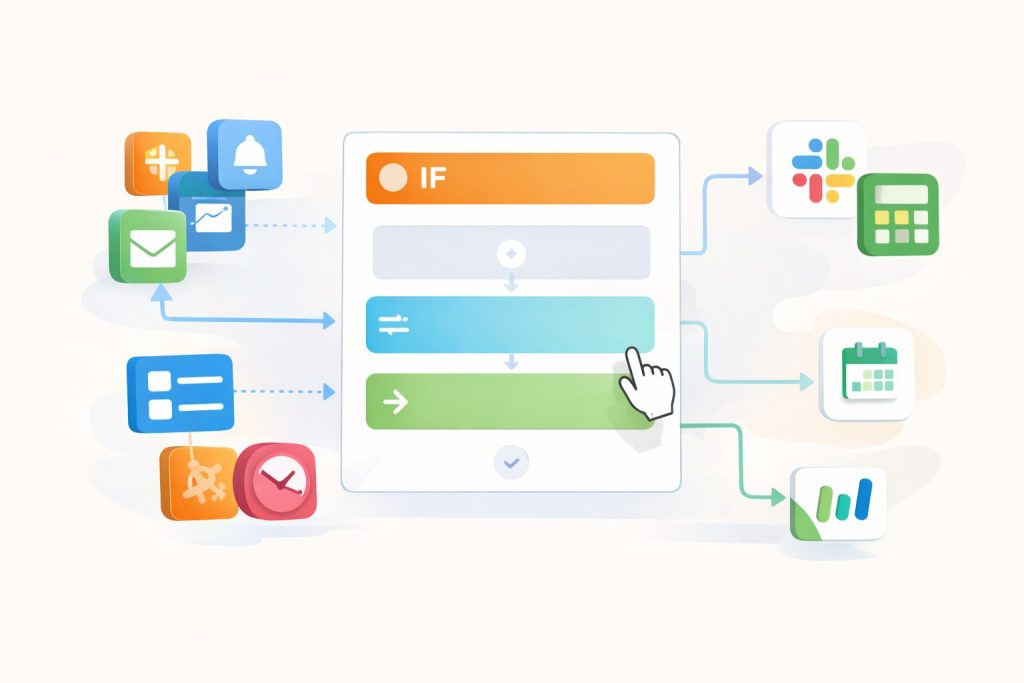
Before going further, it’s important to clarify what no-code automation really is.
In simple terms:
No-code automation allows you to create workflows where apps talk to each other without writing any code.
What it is:
- Visual workflow builders
- Drag-and-drop logic
- Pre-built integrations
What it is NOT:
- Programming
- API coding
- Technical scripting
Manual vs No-Code Automation
| Manual Work | No-Code Automation |
| Copy-pasting data | Automatic data transfer |
| Repeating emails | Trigger-based emails |
| Manual task creation | Auto-generated tasks |
| Forgetting follow-ups | Scheduled reminders |
As a result, freelancers save time and reduce human error.
Core Automation Categories Freelancers Actually Need
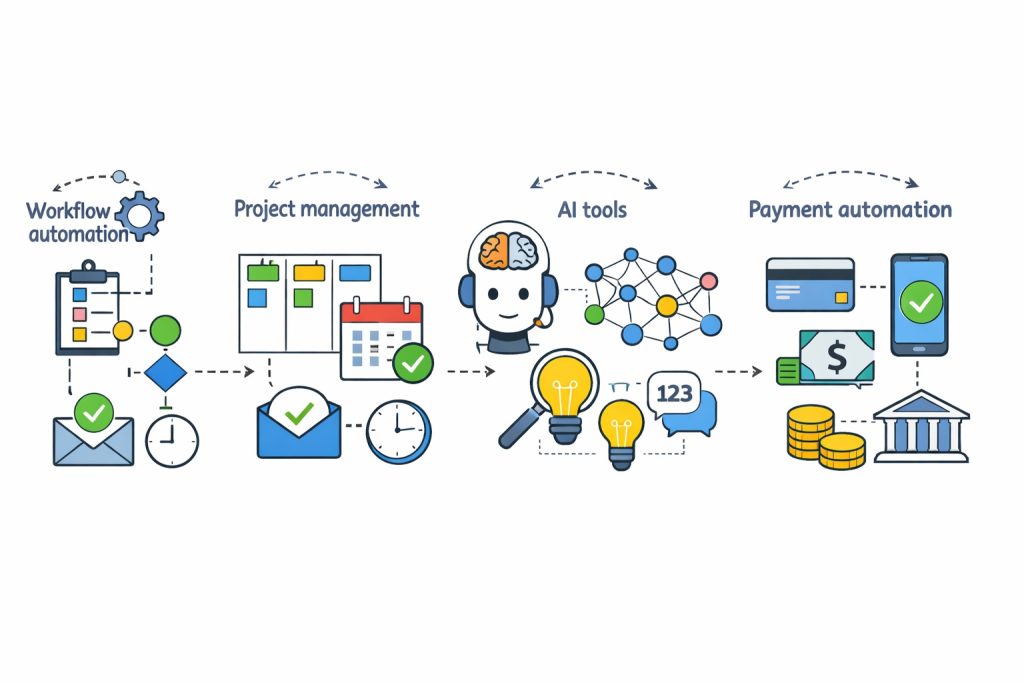
Most articles list tools randomly. Instead, let’s break automation down by real freelance needs.
1️⃣ Workflow Automation (Task Connectors)
This is the backbone of automation.
What it does:
- Connects apps together
- Moves data automatically
- Triggers actions based on events
Best for automating:
- New leads
- Form submissions
- Email triggers
- Task creation
2️⃣Project Management & CRM Automation
Once clients come in, organization becomes critical.
This category helps with:
- Client tracking
- Project status updates
- Pipelines and workflows
Without automation, project management quickly becomes chaotic.
3️⃣ AI-Driven Business Operations
AI is no longer optional.
Used correctly, AI helps freelancers:
- Draft emails faster
- Create content drafts
- Summarize meetings
- Handle repetitive communication
4️⃣ Payments, Forms & Digital Delivery
Finally, money and access should never be manual.
Automation here ensures:
- Faster payments
- Instant file delivery
- Smooth onboarding
Top No-Code Automation Tools for Freelancers (2026)
Now, let’s look at the most practical tools freelancers actually use.
1️⃣ Zapier – Best for App-to-App Automation
Zapier is the most widely used automation tool in the freelance world.
What it does well:
- Connects 5,000+ apps
- Uses simple “if this, then that” logic
- Works quietly in the background
Common freelancer use cases:
- New Typeform entry → Add to CRM
- New email → Create task in Trello
- Payment received → Send confirmation email
When Zapier may not be ideal:
- Very complex workflows
- Heavy usage on free plans
Still, for most freelancers, Zapier is the easiest starting point.
2️⃣ Make (formerly Integromat) – Best for Visual & Advanced Workflows
Make offers more control than Zapier.
Why freelancers choose Make:
- Visual workflow builder
- Advanced conditions and logic
- Often cheaper for complex workflows
Best suited for:
- Multi-step onboarding
- Data formatting
- Conditional automation
However, beginners may find it slightly overwhelming at first.
3️⃣ n8n – Best for Privacy-Focused Freelancers
n8n is an open-source automation platform.
Key advantages:
- Self-hosting option
- Full data control
- No per-task pricing
Ideal for:
- Tech-savvy freelancers
- Agencies handling sensitive data
Not recommended if:
- You want zero technical setup
4️⃣ Airtable – Best for Database-Driven Freelance Operations
Spreadsheets break once systems grow. Airtable fixes that.
Why Airtable stands out:
- Spreadsheet simplicity + database power
- Custom views and automation
- Works as a lightweight CRM
Use cases:
- Client management
- Content calendars
- Sales pipelines
5️⃣ Notion – Best All-in-One Workspace
Notion combines documentation, tasks, and databases.
Freelancers use Notion for:
- Project tracking
- Client notes
- SOPs and templates
Automation strength:
- Internal automations
- Powerful when paired with Zapier or Make
6️⃣ Pipefy – Best for Structured Client Onboarding
Pipefy focuses on operational workflows.
Best for:
- Client onboarding
- Approval processes
- Step-by-step pipelines
This is especially useful for agencies or service teams.
7️⃣ ChatGPT & Claude – AI Automation for Freelancers
AI assistants are now core business tools.
Freelance automation examples:
- Drafting client emails
- Writing proposals
- Summarizing meetings
- Brainstorming content ideas
Used properly, AI saves hours every week.
8️⃣ Gumroad – Automating Digital Product Sales
For freelancers selling digital products, Gumroad simplifies everything.
It automates:
- Payments
- File delivery
- Customer access
No funnels or integrations needed for basic setups.
9️⃣ Typeform – Automated Lead & Client Intake
Typeform turns forms into conversations.
Why freelancers love it:
- Higher completion rates
- Conditional logic
- Seamless automation triggers
Perfect for qualifying leads before onboarding.
Real Freelance Automation Examples
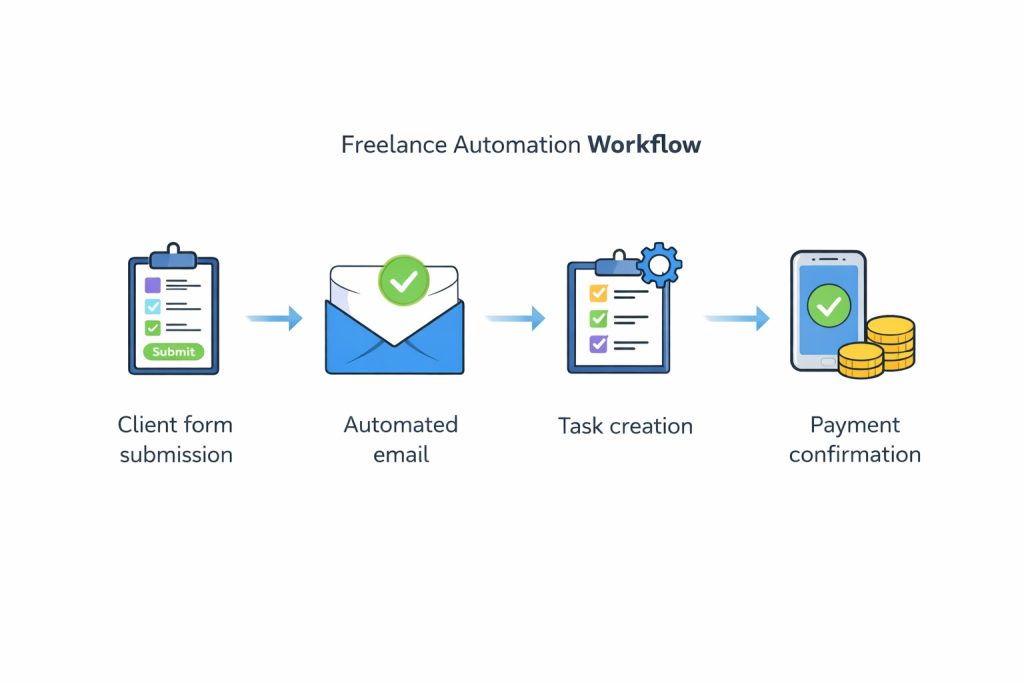
Service Freelancer
- Client fills Typeform
- Zapier adds lead to Airtable
- Welcome email sent automatically
- Project task created
Coach or Consultant
- Booking via calendar
- Payment processed
- Email sequence triggered
- Session notes stored in Notion
Digital Product Seller
- Customer purchases product
- Gumroad delivers file
- Email onboarding starts
- Upsell sent automatically
How to Choose the Right No-Code Stack
| Situation | Recommended Stack |
| Beginner freelancer | Zapier + Notion |
| Advanced workflows | Make + Airtable |
| Privacy-focused | n8n |
| Digital products | Gumroad |
| AI-driven work | ChatGPT + automation |
The Future of No-Code Automation for Freelancers
Looking ahead:
- AI + no-code will merge further
- Fewer tools, more all-in-one platforms
- Automation will become a competitive advantage
Freelancers who automate early will scale faster and work smarter.
Final Takeaway
Automation is not about replacing your work.
Instead, it’s about removing friction.
- One repetitive task
- One automation tool
- One simple workflow
From there, growth becomes easier—and more sustainable.


